Hands-On with Apache Iceberg Using Dremio Cloud
A practical walkthrough of creating, querying, and optimizing Iceberg tables on Dremio Cloud, from account setup to AI-powered analytics.
Cross-posted. This article’s canonical home is Iceberg Lakehouse.
Read the complete Apache Iceberg Masterclass series:
- Part 1: What Are Table Formats and Why Were They Needed?
- Part 2: The Metadata Structure of Modern Table Formats
- Part 3: Performance and Apache Iceberg’s Metadata
- Part 4: Partition Evolution: Change Your Partitioning Without Rewriting Data
- Part 5: Hidden Partitioning: How Iceberg Eliminates Accidental Full Table Scans
- Part 6: Writing to an Apache Iceberg Table: How Commits and ACID Actually Work
- Part 7: What Are Lakehouse Catalogs? The Role of Catalogs in Apache Iceberg
- Part 8: When Catalogs Are Embedded in Storage
- Part 9: How Data Lake Table Storage Degrades Over Time
- Part 10: Maintaining Apache Iceberg Tables: Compaction, Expiry, and Cleanup
- Part 11: Apache Iceberg Metadata Tables: Querying the Internals
- Part 12: Using Apache Iceberg with Python and MPP Query Engines
- Part 13: Approaches to Streaming Data into Apache Iceberg Tables
- Part 14: Hands-On with Apache Iceberg Using Dremio Cloud
- Part 15: Migrating to Apache Iceberg: Strategies for Every Source System This is Part 14 of a 15-part Apache Iceberg Masterclass. Part 13 covered streaming approaches. This article is a practical walkthrough of working with Iceberg on Dremio Cloud, covering table creation, data ingestion, optimization, semantic layer construction, and AI-powered analytics.
Getting Started
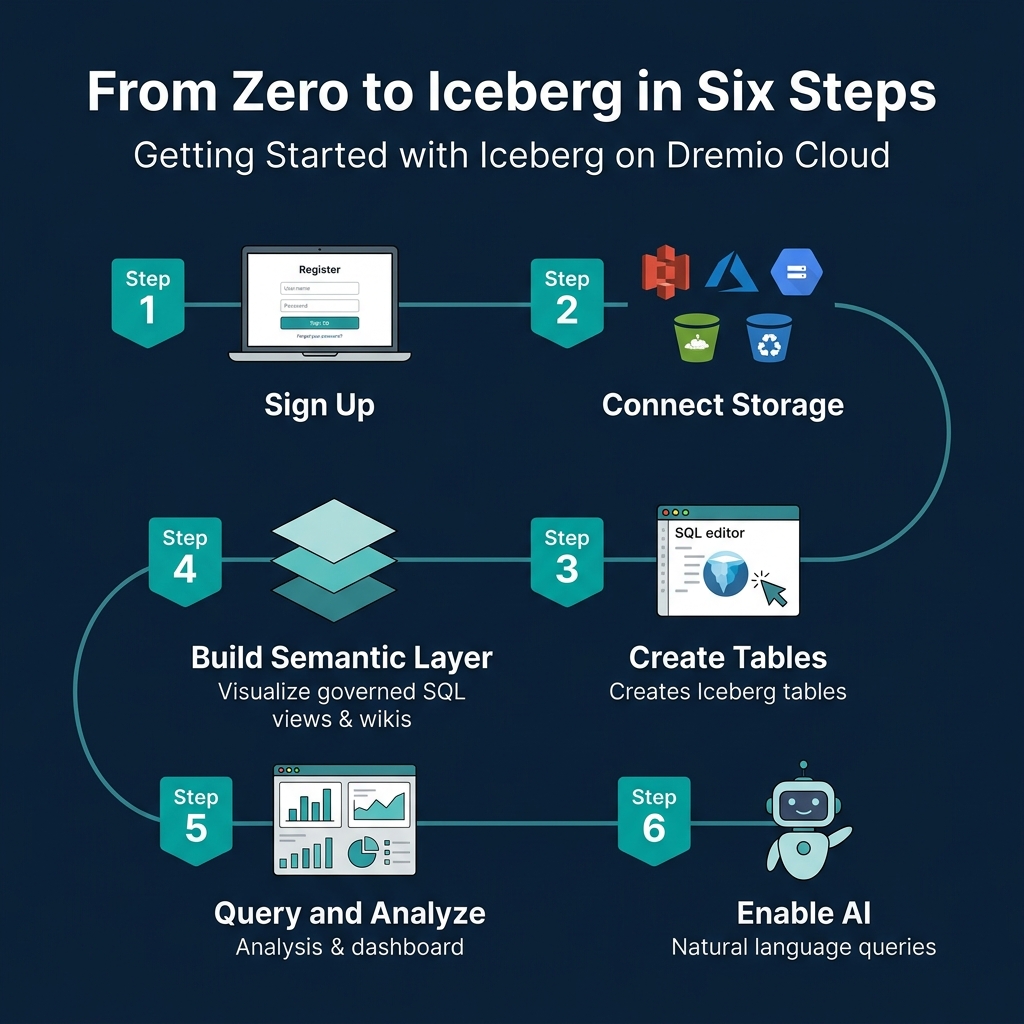
Step 1: Sign Up and Connect Storage
- Create a Dremio Cloud account (free trial available)
- Add a cloud storage source (S3, ADLS, or GCS) through the Sources panel
- Configure credentials and target bucket
Dremio creates an Open Catalog for your Iceberg tables automatically. This Polaris-based catalog handles metadata management, access control, and automatic optimization.
Step 2: Create Iceberg Tables
CREATE TABLE analytics.orders (
    order_id BIGINT,
    customer_id BIGINT,
    order_date DATE,
    amount DECIMAL(10,2),
    status VARCHAR,
    region VARCHAR
)
PARTITION BY (day(order_date))
This creates a table with hidden partitioning by day. Users query on order_date naturally; the engine handles partition pruning automatically.
Step 3: Ingest Data
From files in object storage:
COPY INTO analytics.orders
FROM '@my_s3_source/raw/orders/'
FILE_FORMAT 'parquet'
From another table or source:
INSERT INTO analytics.orders
SELECT * FROM postgres_source.public.orders
WHERE order_date >= '2024-01-01'
Dremio’s federation can query data in PostgreSQL, MySQL, Oracle, MongoDB, S3 files, and other sources directly. You can migrate data into Iceberg tables with a single INSERT…SELECT statement.
The Dremio Platform
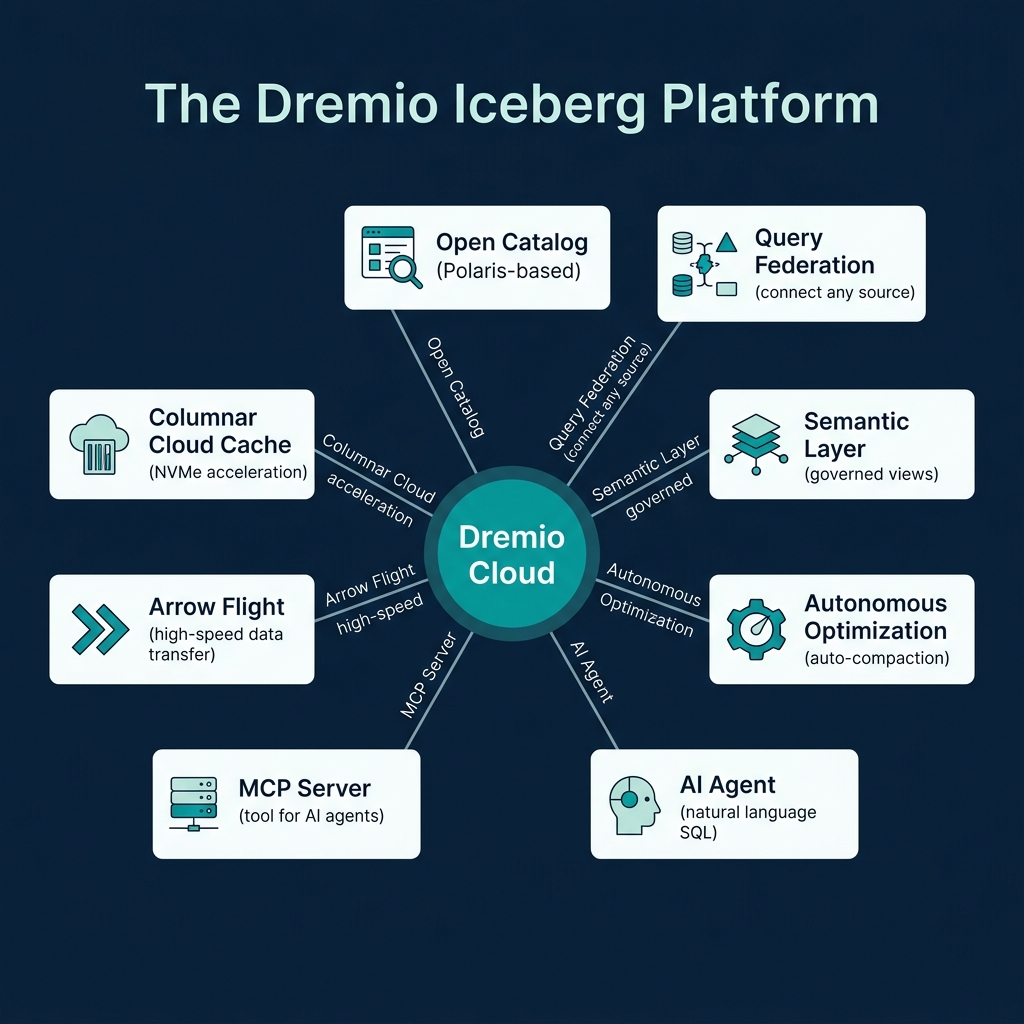
Columnar Cloud Cache
Dremio’s Columnar Cloud Cache (C3) stores frequently accessed Iceberg data on local NVMe SSDs attached to the query engine nodes. When a query accesses data for the first time, Dremio caches the relevant columns locally. Subsequent queries against the same data read from local SSD instead of remote object storage, reducing latency from hundreds of milliseconds to single-digit milliseconds.
C3 operates transparently. You do not need to configure which data to cache. Dremio tracks access patterns and caches the most-queried data automatically.
Connecting BI Tools
Dremio exposes Iceberg data through ODBC, JDBC, and Arrow Flight endpoints. Any BI tool (Tableau, Power BI, Looker, Superset) can connect to Dremio and query Iceberg tables as if they were a traditional database. The semantic layer ensures consistent governance and naming across all connected tools.
Semantic Layer
Dremio’s semantic layer lets you create governed SQL views that serve as the interface between raw data and consumers:
CREATE VIEW analytics.customer_orders AS
SELECT
    o.customer_id,
    c.customer_name,
    c.region,
    SUM(o.amount) AS total_spend,
    COUNT(*) AS order_count
FROM analytics.orders o
JOIN analytics.customers c ON o.customer_id = c.customer_id
GROUP BY o.customer_id, c.customer_name, c.region
Add wikis and tags to views and tables through the Dremio UI. These descriptions help other users find and understand data, and they power the AI agent’s ability to generate accurate SQL from natural language.
Reflections (Query Acceleration)
Dremio Reflections are precomputed materializations that automatically accelerate queries without requiring changes to your SQL. When you create a reflection on a view or table, Dremio precomputes the results and stores them as optimized Iceberg tables on fast storage:
-- Create an aggregation reflection for fast dashboard queries
ALTER TABLE analytics.customer_orders
  CREATE AGGREGATE REFLECTION customer_orders_agg
  USING DIMENSIONS (region, order_date)
  MEASURES (total_spend SUM, order_count SUM)
When a query matches the reflection’s definition, Dremio serves it from the precomputed data instead of scanning the full table. Queries that take 30 seconds against raw data can complete in under 1 second with reflections. The query optimizer chooses the reflection transparently, so users and applications do not need to know reflections exist.
Data Governance
Dremio provides column-level access control and row-level filtering directly in the semantic layer:
-- Create a view that masks PII for non-privileged users
CREATE VIEW analytics.orders_masked AS
SELECT
    order_id,
    CASE WHEN is_member('finance_team') THEN customer_name
         ELSE '***MASKED***' END AS customer_name,
    order_date,
    amount
FROM analytics.orders
Governance policies defined in the semantic layer apply consistently regardless of which tool (BI dashboard, Python notebook, AI agent) queries the data. This approach is more maintainable than duplicating access policies in every consuming application.
Query Federation
One of Dremio’s unique capabilities is querying Iceberg tables alongside data in other systems:
-- Join Iceberg table with a PostgreSQL table
SELECT i.order_id, i.amount, p.payment_status
FROM analytics.orders i
JOIN postgres_source.public.payments p
ON i.order_id = p.order_id
This eliminates the need to move all data into Iceberg before you can query it. You can start with federation and migrate incrementally. Federation is especially useful during migration: query legacy systems and Iceberg tables side by side, then swap the underlying source when you are ready.
Essential SQL Operations
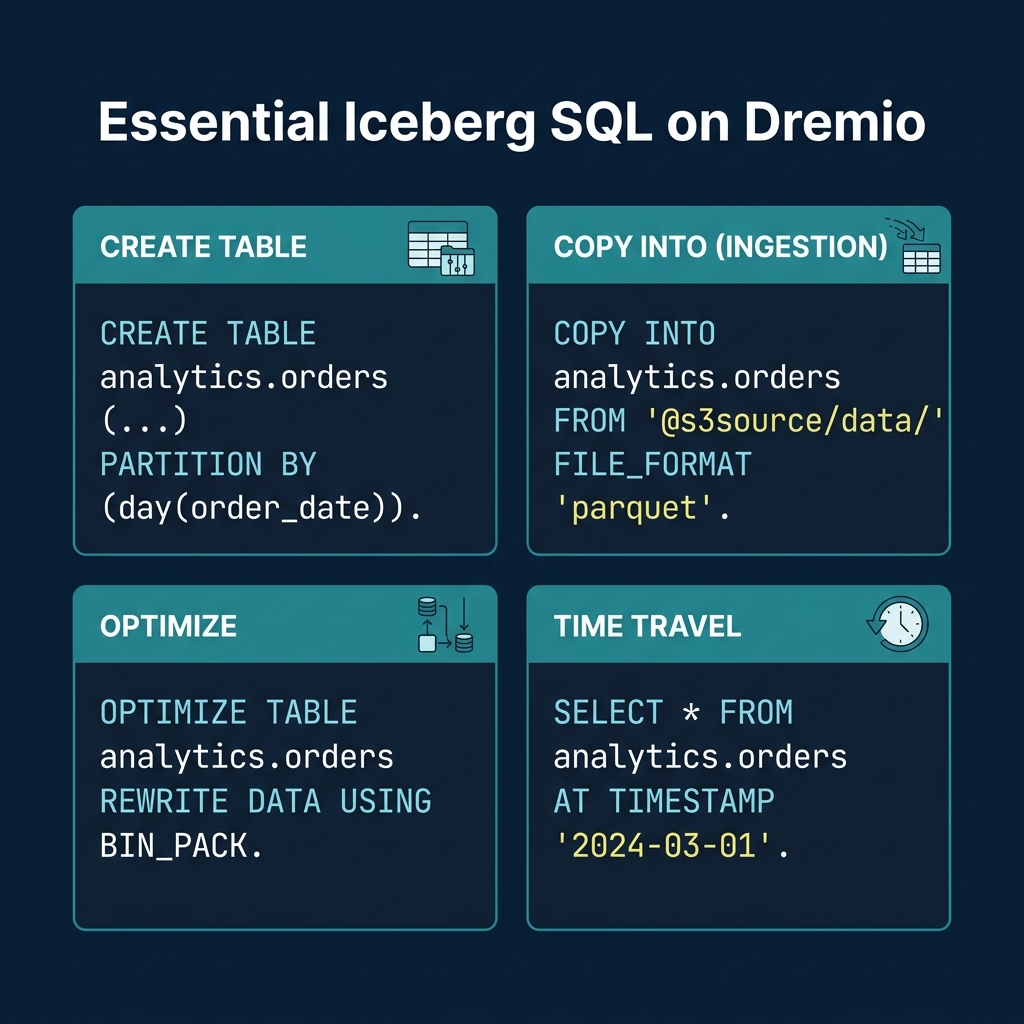
Table Optimization
-- Compact small files
OPTIMIZE TABLE analytics.orders REWRITE DATA USING BIN_PACK

-- Compact with sorting for better file skipping
OPTIMIZE TABLE analytics.orders REWRITE DATA USING SORT (order_date, customer_id)

-- Expire old snapshots
ALTER TABLE analytics.orders EXPIRE SNAPSHOTS OLDER_THAN = '2024-04-01 00:00:00'
For tables managed by Open Catalog, Dremio runs automatic table optimization in the background, handling compaction, expiry, and orphan cleanup without user intervention.
Time Travel
-- Query the table as of a specific timestamp
SELECT * FROM analytics.orders
AT TIMESTAMP '2024-03-01 00:00:00'

-- Compare current data to a previous snapshot
SELECT
    current_data.region,
    current_data.total - old_data.total AS growth
FROM (SELECT region, SUM(amount) AS total FROM analytics.orders GROUP BY region) current_data
JOIN (
    SELECT region, SUM(amount) AS total
    FROM analytics.orders AT TIMESTAMP '2024-01-01'
    GROUP BY region
) old_data ON current_data.region = old_data.region
Metadata Inspection
-- Check table health
SELECT AVG(file_size_in_bytes)/1048576 AS avg_mb, COUNT(*) AS files
FROM TABLE(table_files('analytics.orders'))

-- Review recent snapshots
SELECT committed_at, operation, summary
FROM TABLE(table_snapshot('analytics.orders'))
ORDER BY committed_at DESC LIMIT 5
AI-Powered Analytics
Dremio’s built-in AI agent converts natural language questions into SQL queries using the semantic layer’s wikis and tags as context:
- “Show me the top 10 customers by total spend this quarter”
- “What was the month-over-month revenue growth by region?”
- “Which products had the highest return rate last month?”
The AI agent generates standard SQL, meaning the results are transparent and auditable. Users can see exactly what SQL was generated, verify it, and refine it. This is different from black-box AI analytics tools that hide the underlying logic.
MCP Server for External AI Agents
The MCP Server extends Dremio’s data access to external AI agents and tools through the Model Context Protocol. LLMs running in Claude, ChatGPT, or custom agent frameworks can query your Iceberg lakehouse through MCP, inheriting all the governance, semantic context, and optimization that Dremio provides.
This positions Dremio as the data layer for agentic AI workflows: the AI agent asks questions in natural language, MCP translates them into governed SQL, and Dremio returns the results from optimized Iceberg tables.
Part 15 covers strategies for migrating existing data into Iceberg.
Books to Go Deeper
- Architecting the Apache Iceberg Lakehouse by Alex Merced (Manning)
- Lakehouses with Apache Iceberg: Agentic Hands-on by Alex Merced
- Constructing Context: Semantics, Agents, and Embeddings by Alex Merced
- Apache Iceberg & Agentic AI: Connecting Structured Data by Alex Merced
- Open Source Lakehouse: Architecting Analytical Systems by Alex Merced